

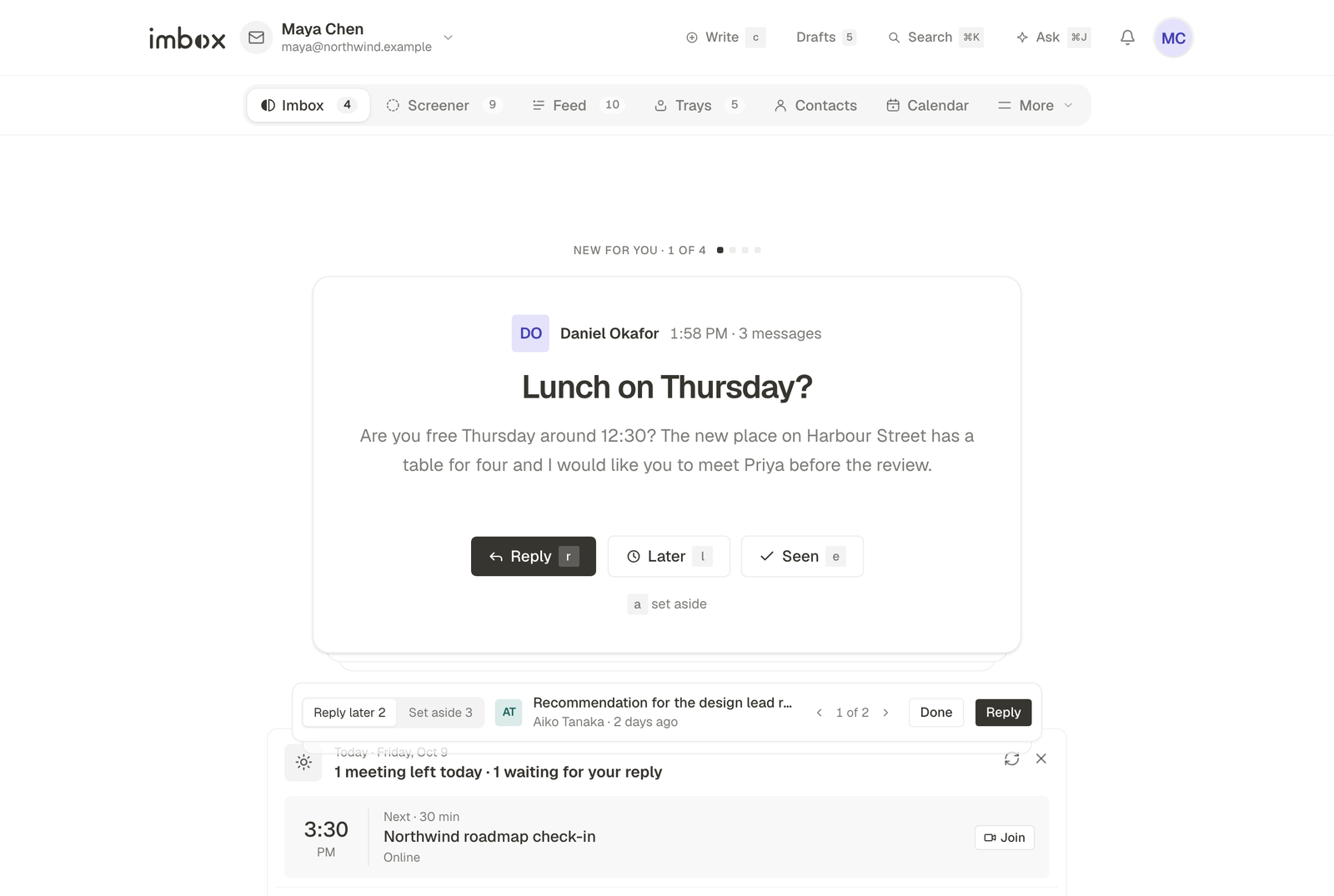
imbox is a calm email client that you run on your own server. It connects to the mail accounts you already have, such as Gmail, Outlook, Fastmail or any IMAP server, and changes how mail arrives. New senders wait in a Screener until you decide about them. Mail from people comes first. Everything is kept in a database that you own.
What do you want to do?
Install itPick a way to run imbox: the server script, Docker Compose, or Railway. Then make your account.Learn how it worksThe Screener, the Imbox, the Feed and Receipts, trays, contacts, and search.Connect a mailboxGmail, Outlook, IMAP, and mailboxes on your own domain.Run the serverHardening, backups, updates and settings for the machine that runs imbox.Fix a problemStart with three checks, then find your symptom.Build on itThe API, the database, and how to run imbox locally.
Ideas behind it
- New senders wait at the door. The first message from anyone new stops in the Screener. You decide once, and every later message follows that choice. See The Screener.
- Mail has places. The Imbox holds mail from people. The Feed holds newsletters and reading. Receipts keeps confirmations and invoices. See Imbox, Feed and Receipts.
- Mail can't see you read it. Tracking pixels are removed when mail arrives, and remote images stay on the sender's server until you allow them.
- AI acts only when asked. The assistant uses your own key with the provider you choose, or a model on your own machine. See AI assistant.
- You own the data. Your mail, settings and search index live in your own PostgreSQL database, on a machine you control.