

Contacts lists every sender imbox knows about. It is the place to see, and change, where someone's mail goes. Open it from the Contacts tab.
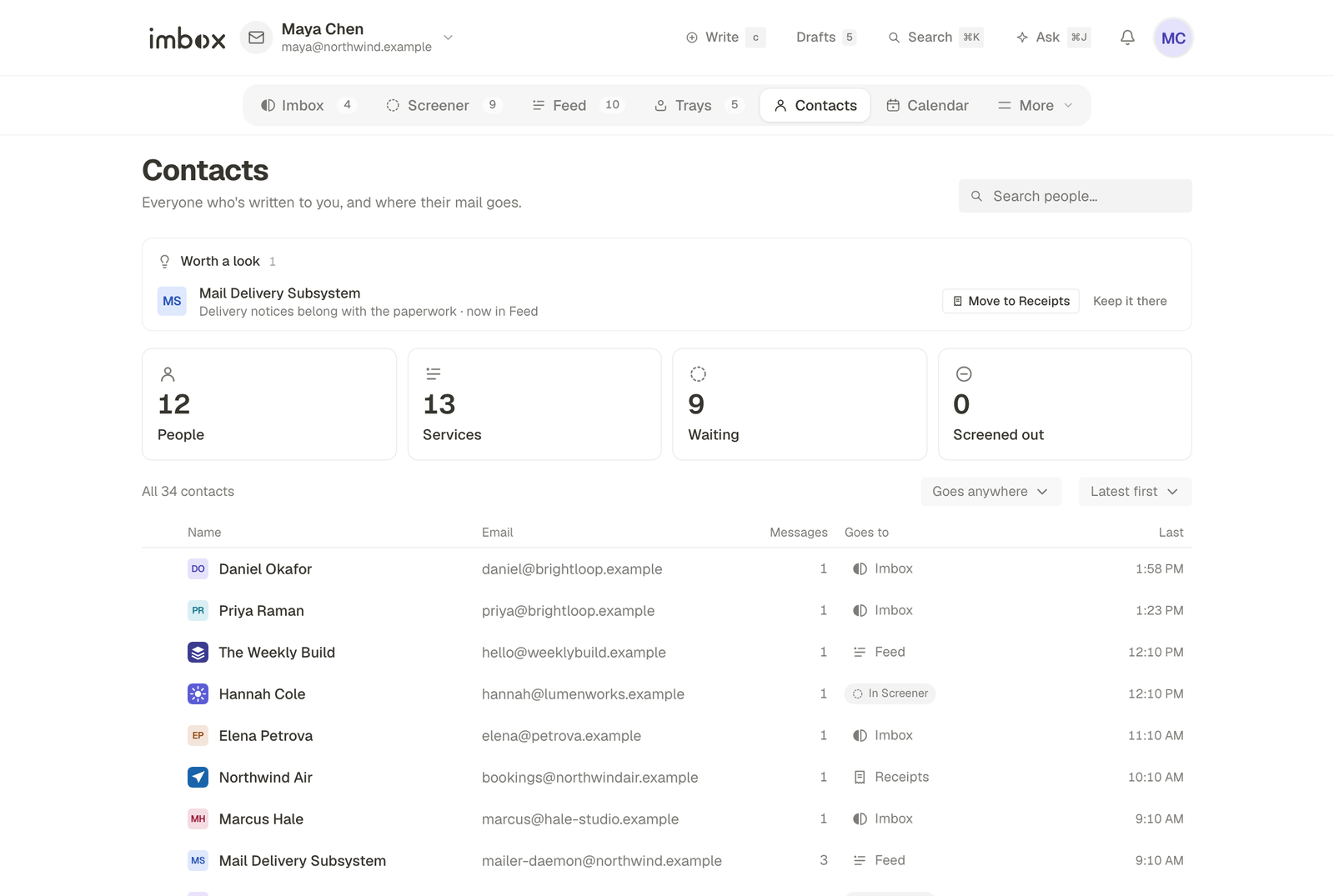
The tabs
| Tab | Shows |
|---|---|
| People | Senders that look like a person |
| Services | Shops, banks, newsletters and other automatic senders |
| Waiting | Senders still in the Screener |
| Screened out | Senders you said no to |
Each card at the top has a count. Choosing one narrows the list. A second filter, Anywhere / Imbox / Feed / Receipts, narrows by where their mail goes.
Search people finds a contact by name or address.
What each row tells you
Each row shows the person or service, where their mail is delivered, and which mailbox they write to. A short plain-words line explains how imbox classed them, for example that they write to you directly.
Open a row to see that contact's page, with their conversations.
Changing where mail goes
On a contact's row, the destination is a menu. Choose Imbox, Feed, Receipts or Screened out. New mail follows the change. Mail already received stays where it is.
Letting someone back in
On the Screened out tab, point at a row and choose Let back in. They go to the Imbox, and their next message arrives there without passing the Screener again. To send them to the Feed or Receipts instead, change their destination afterwards.
Contacts and your mailboxes
A sender appears once, however many of your mailboxes they write to. The mailbox column shows which ones. If you connect a Google account, imbox also reads your Google contacts so names and photos fill in. See Mailboxes.
Next
- The Screener: how a first message is decided.
- Connect a mailbox: more mailboxes, more contacts.