

Search
Press ⌘K (or Ctrl+K), or press /, to open search. It looks at once through your mail, your contacts, your files and your calendar, and shows each in its own group.
Type a few words and press Enter. Every word must appear, and each may be in a different place in the message. Put a phrase in quotes to match it exactly. Put a minus sign before a word to leave out mail that contains it.
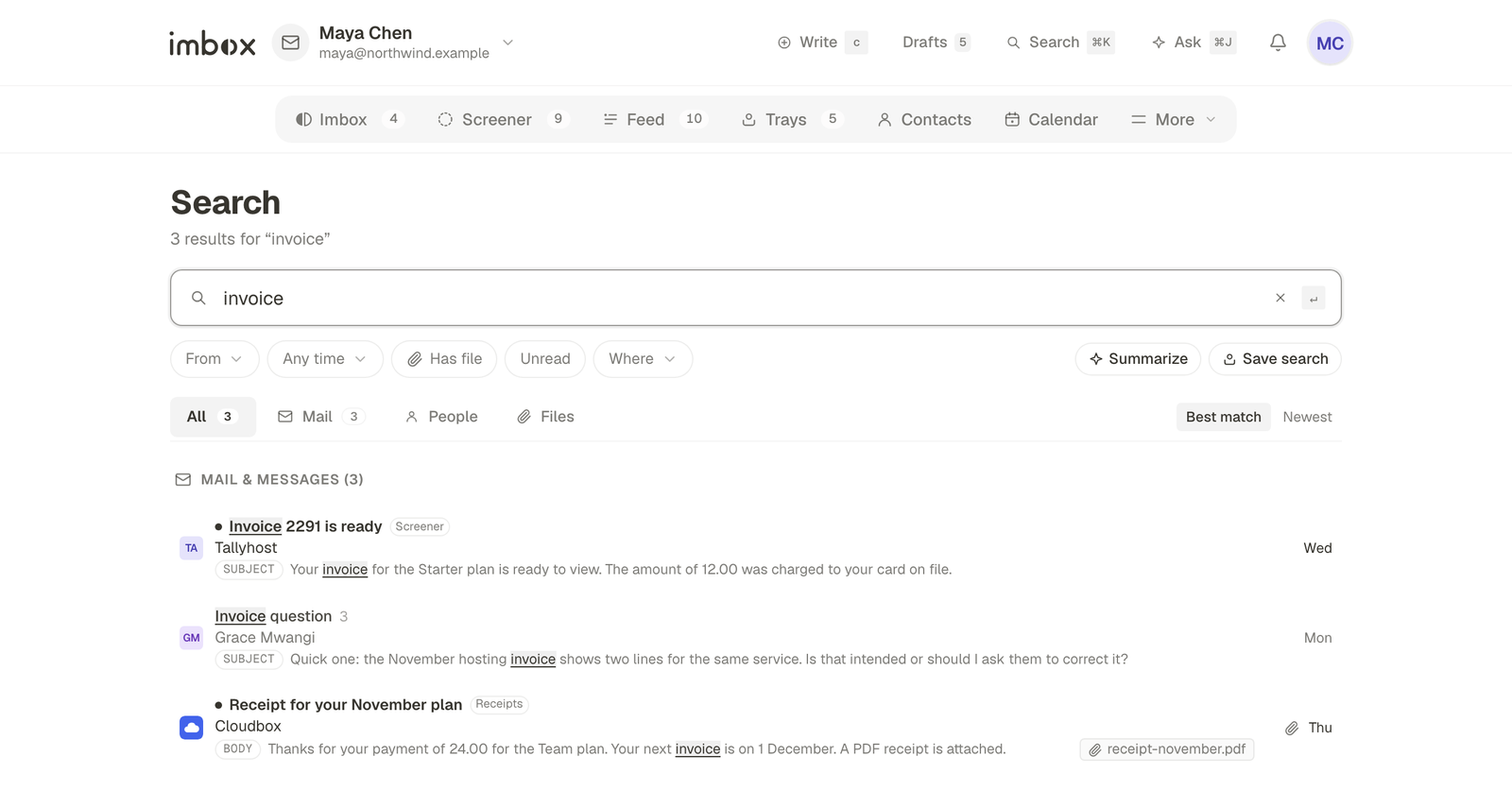
Filters
Add a filter to narrow the result. Filters sit in the box as small chips that you can click away.
| Filter | Finds | Example |
|---|---|---|
from: | Mail from a name or address | from:priya |
to: | Mail sent to a name or address | to:finance |
in: | One place: screener, imbox, feed, paper_trail, trash | in:feed |
is: | unread or read | is:unread |
has: | attachment (or file) | has:attachment |
filename: | An attachment by name | filename:invoice |
mailbox: | Mail that arrived in one mailbox (part of its address) | mailbox:work |
before: and after: | A date limit | after:2026-09-01 |
Dates take several forms: 2026-09-01, 2026-09, a word (today, yesterday, this-week, last-week, last-month, last-year), or an amount ago (7d, 2w, 3m, 1y).
Filters combine. from:harbor has:attachment after:3m statement finds statements with a file from the last three months.
Asking in plain words
A longer sentence works too, such as did Priya approve the plan. When a search has four or more plain words or a question mark, imbox drops the filler words and looks for what is left. If you have connected the AI assistant, a question can also get a written answer with the messages it came from.
Keyboard shortcuts
imbox is built to be used from the keyboard. Press ? in the app to see this list in a sheet.
Moving around
| Key | Does |
|---|---|
⌘K or / | Search and commands |
⌘J | Focus the AI assistant |
c | Write a new message |
i | Back to the Imbox |
0 | Switch between mail and calendar |
j and k, or the arrow keys | Move down and up |
↵ or o | Open the thread or item |
esc | Back, close or clear |
In lists
| Key | Does |
|---|---|
x | Select a thread |
l | Reply later |
a | Set aside |
z | Bubble up |
e | Done (mark seen) |
u | Mark unread |
# | Trash |
In a thread
| Key | Does |
|---|---|
r | Reply |
f | Forward |
n | Add a private note |
# | Trash and go back |
Writing
| Key | Does |
|---|---|
⌘↵ or Ctrl+↵ | Send |
q | Undo send, while the undo notice is showing |
esc | Save the draft and close |
Screener, Feed and calendar
| Where | Key | Does |
|---|---|---|
| Screener | y and n | Let in, screen out |
| Screener | 1 and 2 | Imbox or Feed as the destination |
| Feed | e | Done with the card |
| Calendar | t | Today |
| Calendar | d w m y | Day, week, month, year |
| Calendar | n | New event |
Next
- Labels, collections and clips: things worth finding.
- AI assistant: ask in plain words instead.