

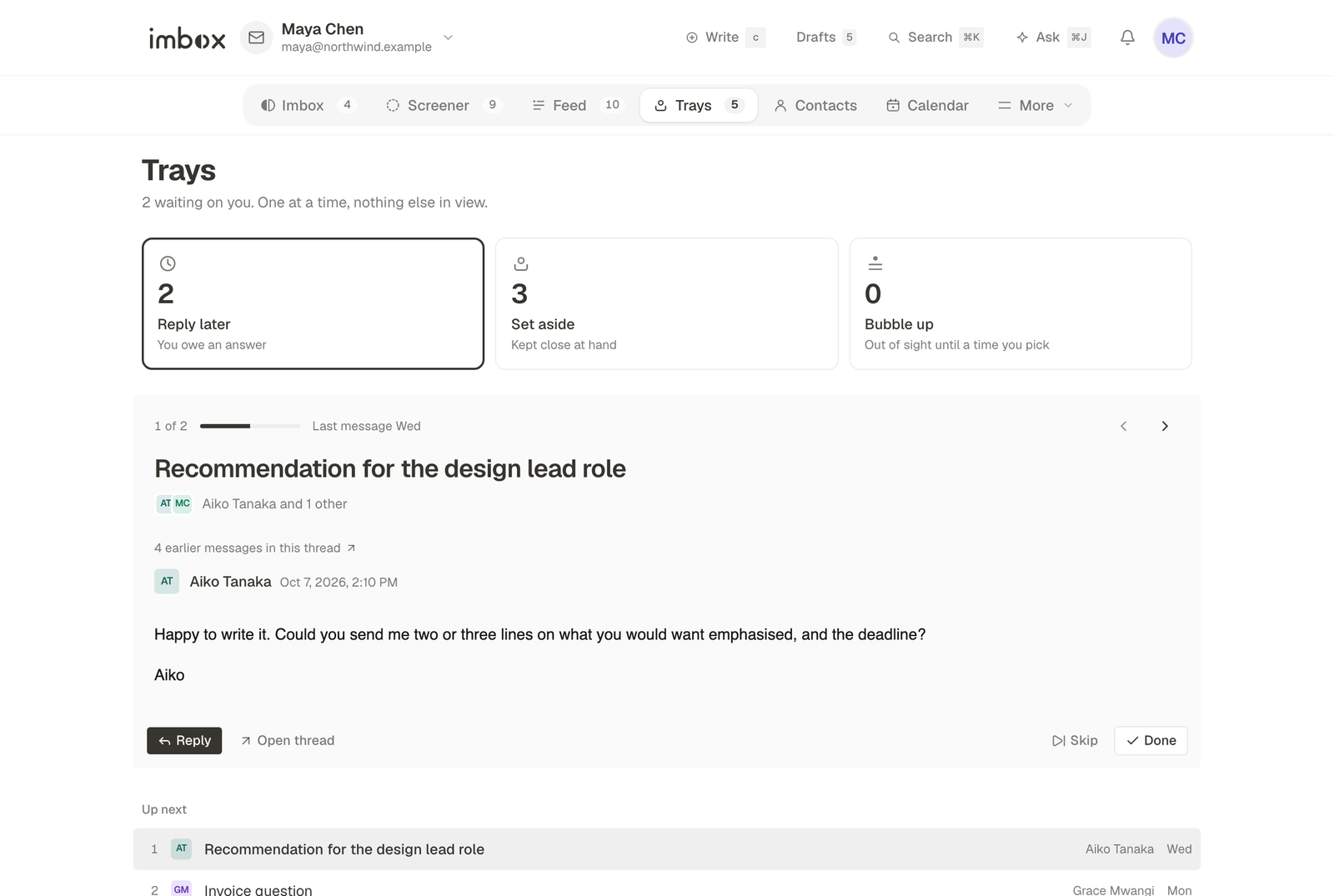
Some messages cannot be finished the moment you read them. Trays are where they wait, each for a different reason. Open the Trays tab. It shows the three trays as cards with a count, and it opens on the one you used last.
| Tray | Key | It means | Leaves when |
|---|---|---|---|
| Reply later | l | You owe an answer | You send a reply, or press Done |
| Set aside | a | Kept close at hand | You take it out |
| Bubble up | z | Out of sight until a time you pick | The time arrives |
Reply later
Press l on any thread, in a list or open, to add it to Reply later. The tray shows one message at a time, with nothing else in view, so you can work through your answers in one sitting. It holds only what you said you would answer. Sending a reply takes the thread out of the tray, and Done (d in this tray) takes it out without replying.
Set aside
Press a to keep a message where you can reach it: a booking confirmation, a link you will need, a reference number. It does not nag you. It stays in the tray until you take it out.
Bubble up
Press z, then choose a time. The message leaves your view and comes back at that moment, at the top of New for you in the Imbox. The Bubble up card shows when the next one returns ("Next back in 3 hours"), and the page lists everything scheduled with its time.
Which to choose
- You must write back: Reply later.
- You need it again but will not act on it: Set aside.
- You need it, but not today: Bubble up.
A message can sit in a tray and still be searched like any other. See Search and shortcuts.
Next
- Labels, collections and clips: keep things findable.
- Search and shortcuts: the keys for every tray.