

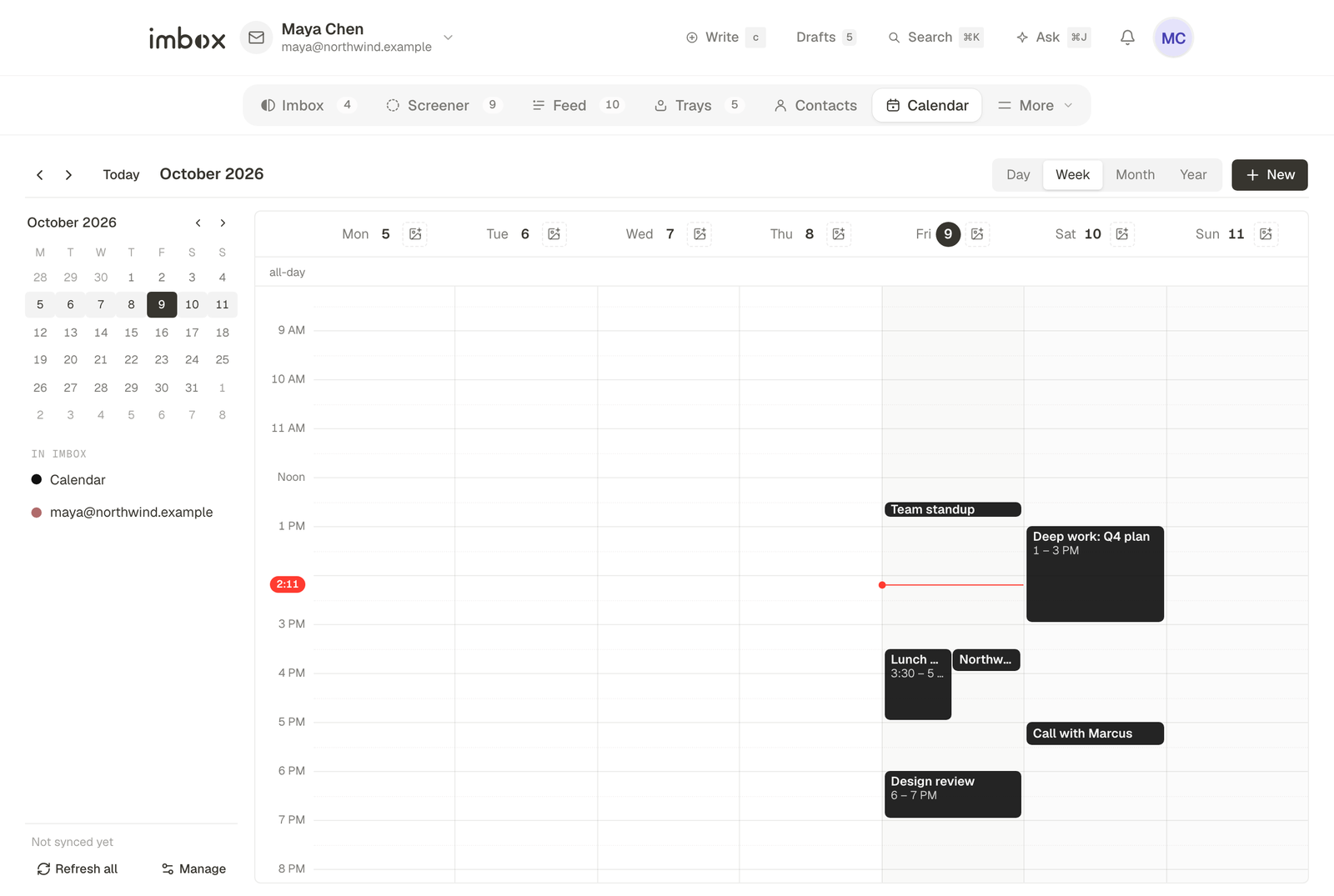
The calendar shows time as a continuous strip of days, not a grid of boxes. The things that make a day yours, such as a label, a photo, habits and a journal, sit next to the meetings.
Views
There are three views: week, day and year.
- Week. This is the home view. Weeks stack as rows and scroll without end in both directions. The current week is framed. Each row has seven columns that cover the full 24 hours, with events drawn to scale. Habit badges sit along the top, all-day events are pills at the bottom of the column, and each row has a strip for things to do "sometime this week".
- Day. Time runs left to right. Each event is a bar whose width is its length, with its title along the side. Free time is drawn at full scale and labelled with its length, so you start the day with all of it free and carve events out.
- Year. The whole year as one strip, four weeks to a row, with weekends lined up. Only all-day and multi-day items are drawn.
On a phone the layout is simpler: a month grid with the day's agenda below it, and a vertical day timeline.
Where events come from
| Source | What it is | Can you edit it |
|---|---|---|
| Local | Calendars you create in Imbox, and imported .ics files | Yes |
| Google Calendar, for each connected Gmail account | Yes, both ways | |
| Subscribed | An .ics or webcal address | No |
| Mailbox | A calendar for each IMAP mailbox. See below. | Yes |
Manage them under Settings → Calendar.
Google Calendar
Google Calendar needs one extra permission, asked for separately from Gmail. Settings → Calendar lists each Google account and what it is connected for: mail and calendar, calendar only, or mail only. Each row has Connect calendar, Reconnect (which also recovers an expired permission) and Disconnect calendar.
A Google account can be connected for calendar only, with no access to its mail at all. Disconnecting a calendar removes that account's Google calendars and their events from Imbox. It never touches the mail or the account, and changes nothing in Google.
Subscribed calendars and imports
Paste an .ics or webcal address to subscribe. These calendars are read-only. Import an .ics file to turn its events into editable local events. Addresses that point at private network locations are refused.
Mailbox calendars
Every IMAP mailbox has a calendar named after it. It appears under Settings → Calendar → Mailboxes, and you can show, hide or recolor it. Agent mailboxes do not get one. A calendar you remove is not created again.
Invitations
When a message arrives with a calendar invitation, its events go into the calendar of the mailbox that received it, linked to the thread.
| Invitation type | What happens |
|---|---|
| Request or publish | The meeting is added, or updated if it already exists |
| Cancel | The meeting is removed |
| Reply and others | Ignored |
Only newly arrived messages are checked. Mail already in Imbox, including mail a re-sync passes over, is not scanned for old invitations. Accepting or declining is kept in Imbox only. The server is not told, and no reply is emailed to the organizer.
Sync with a mail server
A mailbox on a server that supports CalDAV (Stalwart does) keeps its calendar in step with the server, using the mailbox's own login.
- Once a day, Imbox looks for the server's calendars. The first one becomes the mailbox's calendar here. Others appear beside it as
mailbox, name. What was already in the mailbox calendar is sent up to the server. - Every two minutes, each calendar is checked. If the server's version has changed, Imbox reads the events and brings its copy up to match. Events the server no longer lists are removed here.
- Changes you make here are sent first, on that same check, so they reach the server within about two minutes. If the server refuses one, the change stays here and is tried again. The server's older copy does not overwrite it, and the error shows in Settings.
Repeating events keep their time zone across daylight saving changes. Skipped and changed occurrences travel with the series. Todos, birthdays and anniversaries stay in Imbox only.
A server without CalDAV, or a login it refuses, is left alone. The mailbox keeps its local calendar and is tried again the next day. Stalwart also files invitations into its own calendar. Both copies use the meeting's unique ID, so you see one event, not two.
For each day
- A label, and a photo behind the day's events. Photos are shrunk in the browser to 1800 pixels on the long side and stored in your database.
- Habits, with a badge for each day you did them.
- A journal entry.
- Todos and countdowns, including repeating ones.
Create an event from an email
Open a thread and choose to add it to the calendar. Imbox fills in a draft from the message. Nothing is created until you save it.
Next
- Connect a mailbox: each mailbox gets a calendar.
- Stalwart: CalDAV sync with your own mail server.